Record the part that matters
Capture a single app, part of your screen, or your whole desktop. Start with the view your audience needs.
 Screlio
Record your screen. Let automatic zooms bring the details into focus. Add captions, clean up your cuts, and give every tutorial a polished look—all in Screlio for Windows and Mac.
Connect through MCP to make changes to your video. →
Full access: $99/year $49/year Discounted
Try it free · Up to 5 minutes per recording · Email to download · No account or payment required.
Made for creators sharing what they know
Capture a single app, part of your screen, or your whole desktop. Start with the view your audience needs.
Explain each step while recording your microphone and system sound together.
Add your webcam and adjust its shape, size, and position so viewers can see you and the screen.
Keep talking points in view while you record. Your notes stay out of the finished video.
Start with automatic zooms, then adjust the focus and timing to suit your explanation.
Frame your screen with a gradient, wallpaper, solid color, or custom background.
Trim dead time, crop distractions, and speed up repetitive steps directly on the timeline.
Add motion blur to soften fast pans and zoom transitions in your tutorial.
Make your cursor stand out and highlight the clicks viewers need to repeat.
Blur emails, account details, and other private information inside the same edit.
Point to a setting, label a step, or add an image exactly where it helps the explanation.
Save your project so you can revise a section or record a replacement without rebuilding the whole tutorial.
Export your tutorial as an MP4, or turn a quick screen demonstration into a GIF.
Choose the aspect ratio and resolution that suit your YouTube video or social clip.
Move between browser tabs and keep each capture organized as a named layer.
Use Screlio’s multilingual interface. Check your build for the languages available.
Tighten the pacing, bring the right detail into focus, add a useful caption, and put yourself in the picture.
Trim a pause. Adjust a zoom. Add captions. Screlio brings recording and editing together, so you can get your next tutorial ready without juggling tools.
Connect an MCP-compatible AI assistant to Screlio using the Model Context Protocol (MCP). Ask it to make changes to your video, then review the result in Screlio.
Automatic zooms and local transcription give you a head start. Fine-tune the details that make your tutorial feel like yours.
Let Screlio zoom toward clicks and key actions. Adjust the depth, timing, and position when your explanation needs a different view.
Turn your narration into editable captions with local transcription. Choose a readable style and one of 22 animation presets.
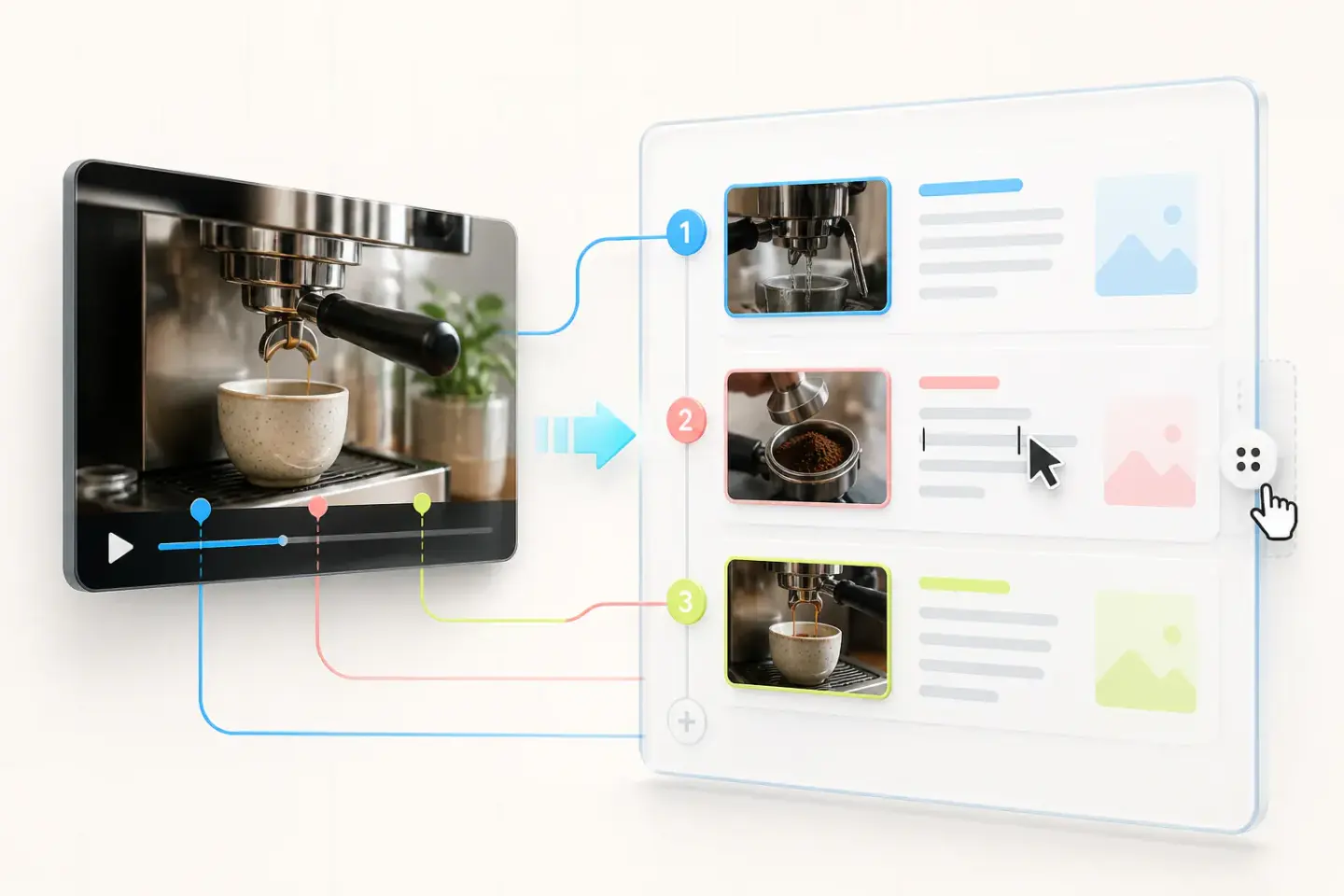
Build a companion guide from your video. Pick the frames, write the instructions, and arrange the steps in the editor.
Use arrows, callouts, diagrams, and 300+ stickers to make instructions easier to follow. Add full-frame effects when the moment calls for them.
Bring your fonts, colors, backgrounds, and webcam layout into a reusable project for a consistent look across tutorials.
Record a short how-to, try a zoom, add captions, and review the result. Start with the free Screlio Demo on Windows or Mac.
Yes. Connect an MCP-compatible AI assistant to Screlio using the Model Context Protocol (MCP). Ask it to make changes to your video, then review the result in Screlio.
Record and edit in one workspace. Automatic zooms, local caption transcription, and built-in framing reduce the polish you have to build by hand. You can adjust every detail before export.
Start with simple timeline cuts, zoom controls, and caption edits. Screlio keeps the tools for screen tutorials together, so you can learn the workflow on a short recording.
Yes. The free Demo lets you record up to five minutes at a time and evaluate the recording and editing tools. Use a short section of your next tutorial to see how the workflow feels.
Yes. Capture an app, window, or screen, explain each step with your microphone, then add zooms and captions so viewers can follow the controls you use.
Yes. Downloads are available for Windows 64-bit and for Apple silicon and Intel Macs. Choose the build that matches your computer.
Screlio supports local transcription and lets you correct the text, adjust the presentation, and choose from caption styles with 22 animation presets. Review names and technical terms before publishing.
Yes. Use the video-to-SOP builder to select screenshots, write each instruction, and put the steps in order. You choose the frames and wording yourself.
Reopen the saved project, record a replacement for the changed step if needed, and update that section. Check nearby captions, narration, and zooms before exporting the new version.
Choose Windows or Mac and enter your email to download the ZIP. No account or payment is needed. Demo recordings are limited to five minutes; the pricing page explains the available plans.
Bring your screen, voice, zooms, and captions together in Screlio. Create a tutorial that looks considered, without building every detail from scratch.
Start with the guide that gets you one step closer to your next great tutorial.
Choose your build, check your audio, and turn a small screen capture into a polished tutorial.
Start recordingGo from one useful idea to a clear outline, a focused recording, and a finished video.
Build your tutorialShow a real task with readable details and steps your viewers can confidently repeat.
Create a walkthrough