What should the learner see next?
Arrange the workflow around a clear teaching sequence instead of a wandering recording.
 Screlio
Screlio helps SaaS teams shape a real product workflow into training people can follow - with a readable timeline, intentional focus, useful context, and an instructor who never gets in the way of the product.
$14.99/month available.
General-purpose editors start with creative possibilities. Screlio starts with the four decisions that make a software lesson easier to understand.
Arrange the workflow around a clear teaching sequence instead of a wandering recording.
Bring the relevant control forward while keeping its product context visible.
Add the short caption, arrow, image, or visual cue that closes the understanding gap.
Bring the teacher into the frame for orientation, emphasis, and human context.
Every interface shown below is an actual Screlio editor view, positioned beside the product-education job it supports.
See the product capture, instructor video, audio, visual layers, and lesson timing together. Remove the wandering and shape the walkthrough around what the learner needs to understand next.
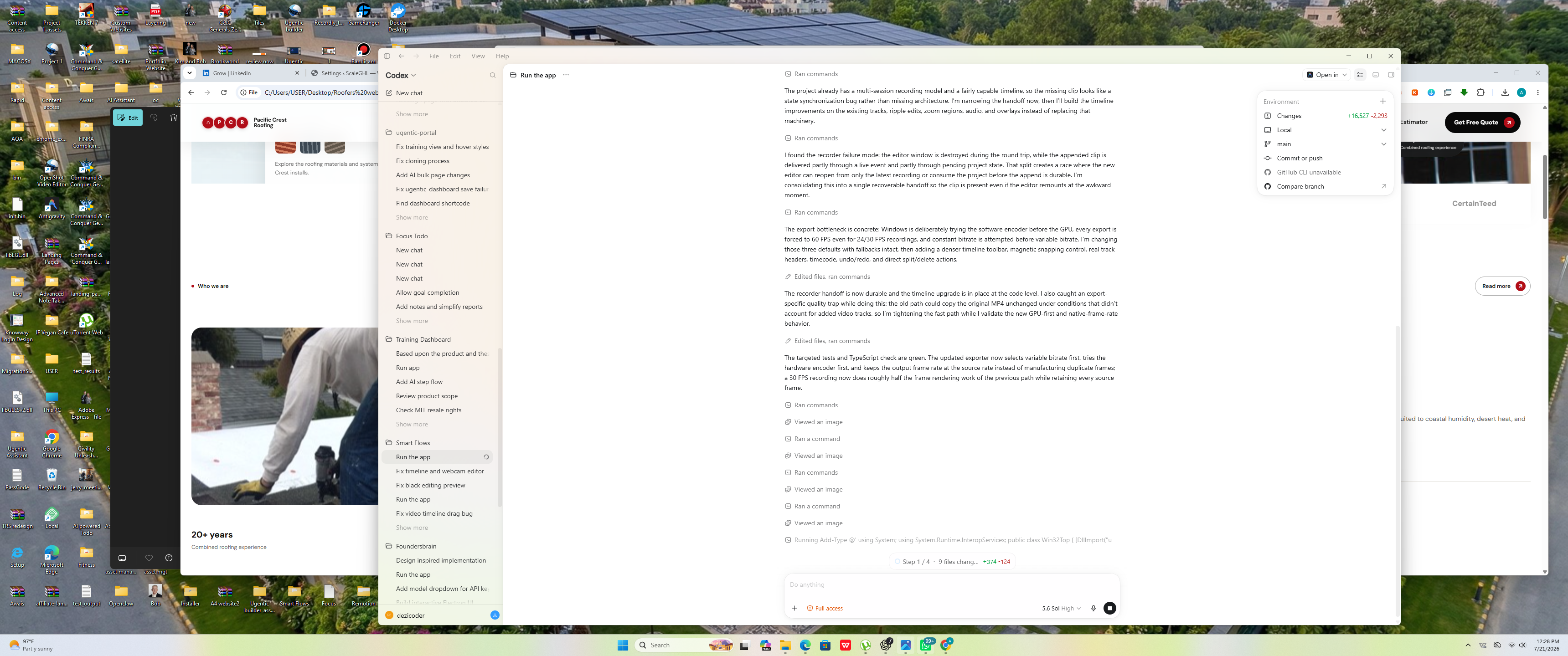
Set the focus position, zoom level, motion, and timing around the product step being taught. The interface remains recognizable while the important action becomes easier to read.
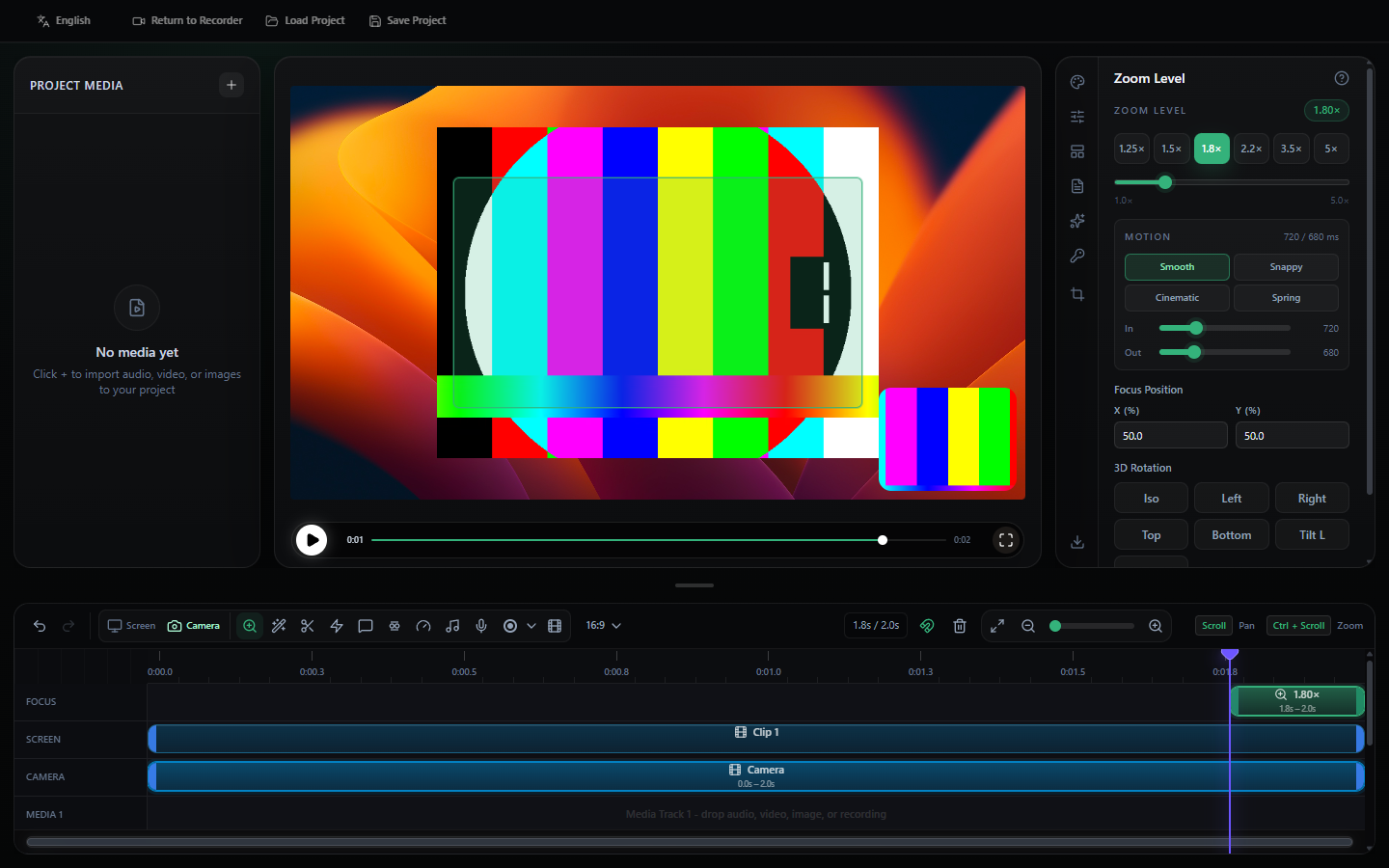
Place text, arrows, images, stickers, and supporting media where the product screen needs an extra layer of explanation. Give each visual a reason to be in the lesson.
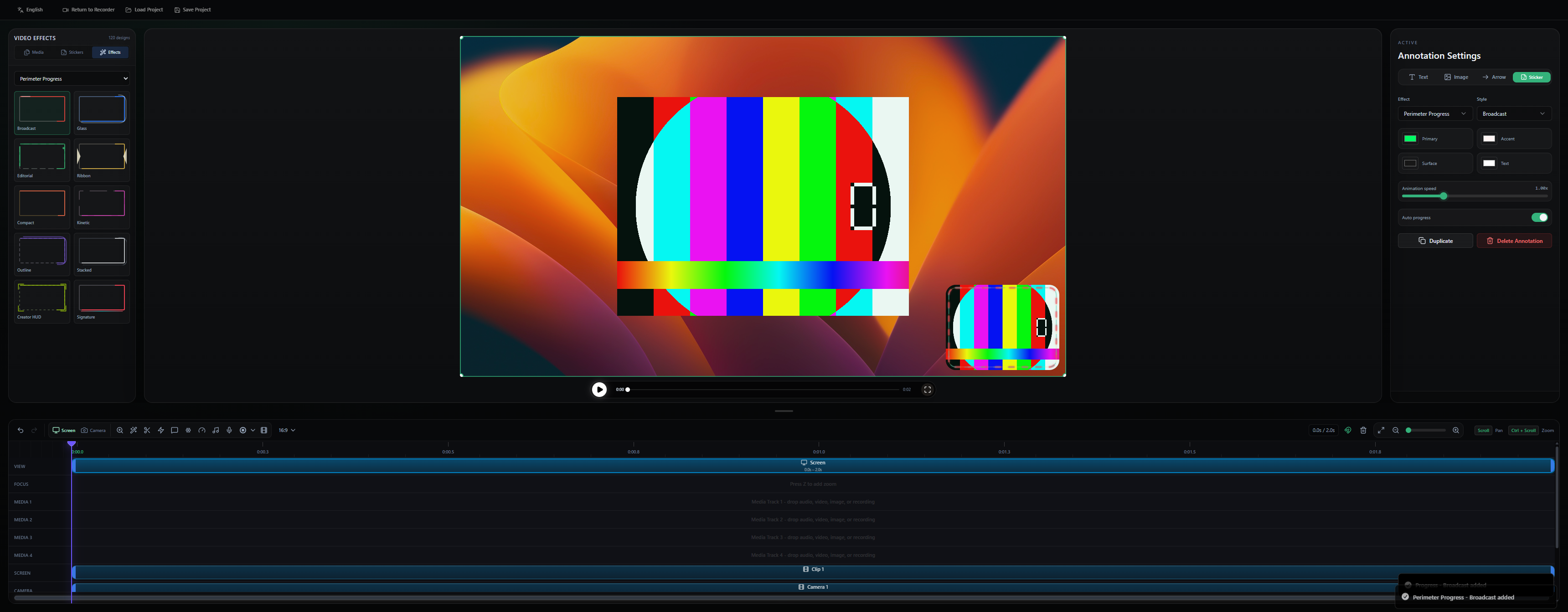
Adjust the instructor frame alongside the software workflow. Use presence when it adds orientation or emphasis, without allowing it to cover the interface being taught.
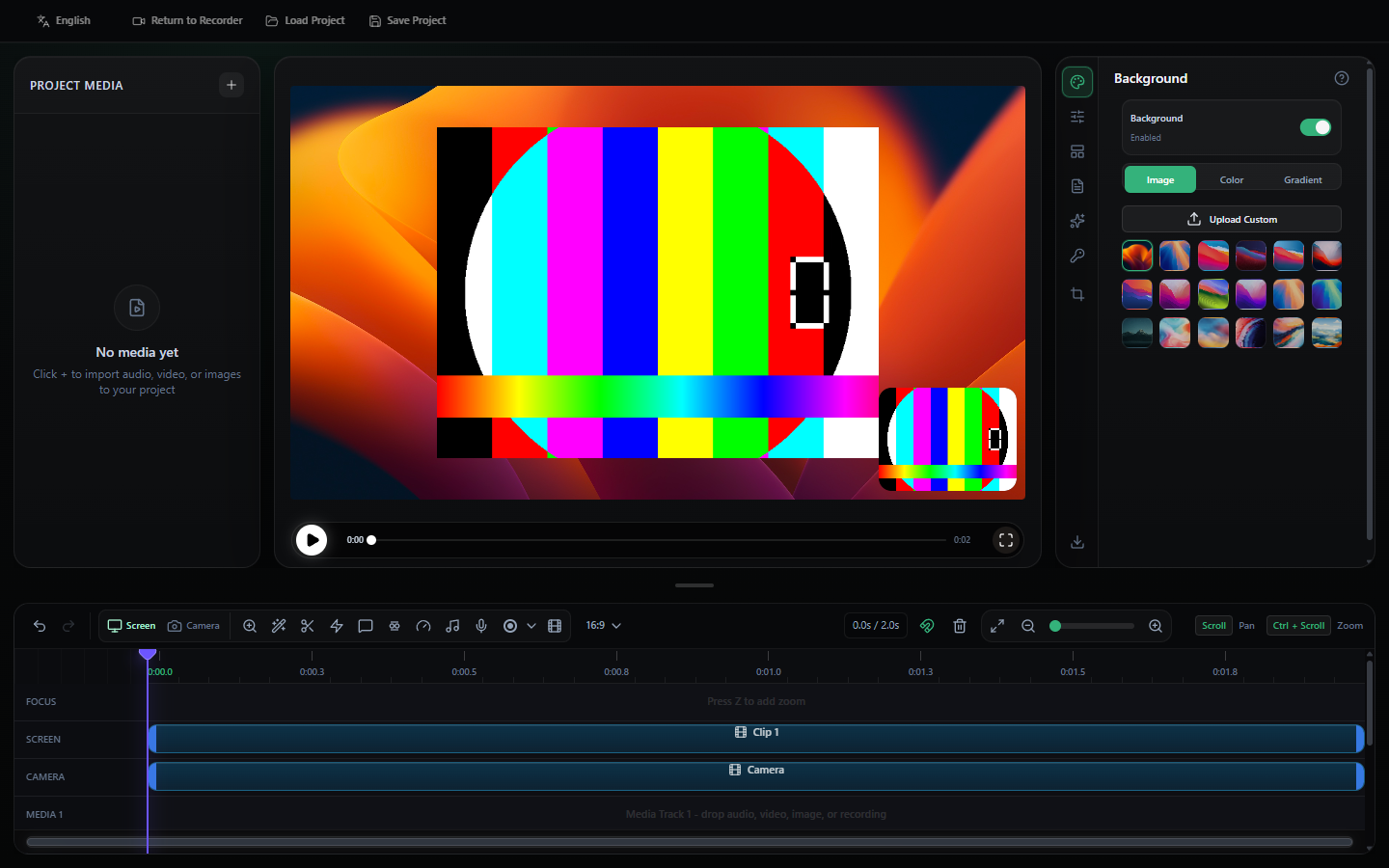
Screlio helps turn an untreated screen capture into an intentional lesson: readable product context, a visible point of focus, and a clear reason for the learner to keep watching.
 Focus the learner on the setting that matters now.
A product tutorial is not a one-time campaign asset. Use a structured Screlio project to return to the lesson, work at the relevant point in the timeline, and keep the teaching flow coherent as the software evolves.
Tour the editor →
Get the complete Screlio workspace for $79 per year, or choose the flexible $14.99 monthly plan.
Get Screlio - $79/year